
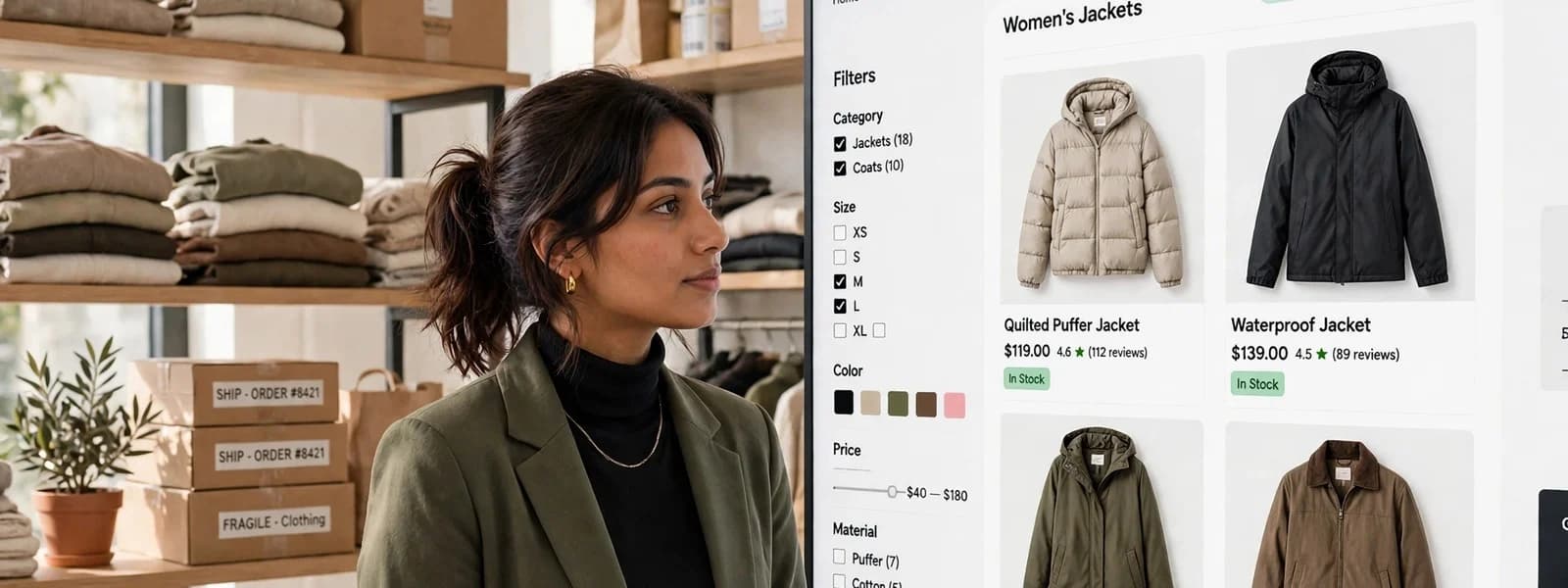
Ecommerce category page SEO matters more than product page SEO for most stores. Category pages match the searches with real volume (“women’s trail running shoes”, “oak dining tables”), while individual products often match only exact model names. In the stores we work on, the category pages that rank share a pattern: one indexable URL per real category, filters that do not multiply into thousands of crawlable variations, a short piece of genuinely useful copy, and strong internal links pointing at them.
Why category pages are the pages that rank
Someone searching for a type of product wants to compare options, and a category page is built for exactly that. It also collects internal links naturally: your navigation, breadcrumbs, product pages and articles all point to it. That combination of intent match and link equity is why, when we look at a store’s organic landing pages, category pages usually carry a large share of non-brand traffic. [Check: share of non-brand organic sessions landing on category pages in your analytics]
The problem is that category pages are also where ecommerce platforms create the most duplicate and near-duplicate URLs, through filters, sorting and pagination. Most category page SEO is about controlling that, not about writing more text.
Faceted navigation and crawl budget
Filters for size, colour, brand, price and material are essential for shoppers. For search engines, every combination can become its own URL: ?colour=black, ?colour=black&size=9, ?size=9&colour=black&sort=price. A category with a handful of filters can generate thousands of URLs that show almost the same products.
Google’s own guidance on managing crawling of faceted navigation is clear that these URL spaces can waste crawling and delay the discovery of the pages that matter. For large catalogs, Google also documents how to manage crawl budget. In practice, we sort filter combinations into three groups:
- Combinations with real search demand, such as “black running shoes”. These deserve their own clean, indexable URL, ideally as a proper subcategory or landing page with its own title and heading.
- Combinations shoppers use but nobody searches for, such as size 9 plus price under 100. These should work for users but not be crawled: block the parameters in robots.txt or make the filters not generate crawlable links.
- Sort orders and view options. These should never be indexable. Point them at the unsorted category with a canonical tag, and avoid linking to them in crawlable form.
We go deeper into implementation in faceted navigation without wrecking your crawl budget.
Subcategory or filter? Decide with search data
The most useful decision in category SEO is which combinations deserve their own page. We use a simple test for each candidate, such as “leather sofas” inside “sofas”:
- Is there search demand for the combination on its own? Check your keyword research tool and Search Console queries. If people search for it by name, it is a candidate.
- Are there enough products to make a useful page? A page with two products is a poor result for a searcher. We generally want a full first row and more.
- Is it different enough from the parent? “Leather sofas” is a different buying decision from “sofas”; “sofas sorted by newest” is not.
- Can you say something useful about it? A subcategory earns its place when it can have its own short introduction and buying help.
Combinations that pass become indexable subcategories or landing pages with clean URLs and their own titles. Everything else stays a filter that works for shoppers but is not offered to search engines. Revisit the list once or twice a year as your range and search demand change.
Platform notes
- Shopify: collections are the category unit; tag-filtered and filtered collection URLs are the usual source of duplicates. Link to canonical product URLs and keep filter URLs out of crawlable links where possible.
- BigCommerce: faceted search can generate many parameter URLs; decide which facets should be crawlable and configure the rest accordingly.
- WooCommerce: product attribute archives and filter plugins can each create indexable URLs; check what your SEO plugin and filter plugin output together, since they often disagree.
Canonicals, pagination and duplicates
Canonical tags
A canonical tag tells search engines which URL you consider the main version of duplicate or near-duplicate content. Google treats it as a strong hint, not a directive, so it works best when your internal links agree with it. A common mistake is canonicalising filtered pages to the category while linking to thousands of them from every category page; the links and the canonical send opposite signals.
Pagination
Each page of a paginated category (/shoes?page=2) should normally have a self-referencing canonical, not point back to page one, because page two shows different products. Google’s guidance on pagination and incremental loading explains the options, including infinite scroll and “load more”. Whatever you choose, make sure products deep in the list are reachable through plain links.
Products in several categories
Platforms often generate a product URL per category path (/mens/shoes/product and /sale/product). Pick one canonical product URL and link to it consistently. Shopify, for example, can produce collection-scoped product URLs; most well-built themes link to the canonical product URL instead.
Category content that helps shoppers (and rankings)
The old approach of a 500-word block of keyword-stuffed text at the bottom of the page does little for shoppers. What we write instead:
- A short introduction above the grid, one or two sentences that say what is in the category and who it is for. Keep it short enough that products stay visible on mobile.
- Buying help below the grid: how to choose between types, sizing advice, materials, care. This is content people actually read before buying, and it naturally uses the words they search with.
- Links to subcategories and guides within that copy, which strengthens the category structure.
- A descriptive H1 and title that use the category’s main search term, not internal jargon (“Trail running shoes”, not “Collection: TR-24”).
Content should be written for the category, not generated from a template that swaps in the category name. Search engines and shoppers both recognise the templated version.
Internal linking: tell search engines what matters
Internal links are the strongest signal you control. Categories that rank usually have:
- A link from the main navigation, or from a parent category that is in the navigation.
- Breadcrumbs on every product page, marked up with breadcrumb structured data.
- Contextual links from buying guides and articles, using descriptive anchor text.
- Links from related categories (“Also shop: trail running socks”).
A useful exercise is to list your top twenty categories by revenue and check how many internal links each receives. We often find that high-margin categories are buried two levels deep in a mega menu with few links elsewhere.
The category page checklist
| Check | What good looks like |
|---|---|
| URL | One clean, stable URL per category; no parameters |
| Title and H1 | Main search term, written for people; unique per category |
| Intro copy | One or two useful sentences above the grid |
| Buying help | Genuine guidance below the grid, with links to subcategories and guides |
| Filters | Only search-worthy combinations indexable; the rest not crawled |
| Sorting | Never indexable; canonical to the unsorted page |
| Pagination | Self-referencing canonicals; products reachable through plain links |
| Internal links | Navigation, breadcrumbs, related categories, guides |
| Structured data | Breadcrumbs valid; no misleading product markup on the category itself |
| Speed | First row of product images loads fast on mobile |
Categories and AI search
AI search tools summarise and cite pages that answer questions directly. Buying guidance on a category page (“which trail shoe for wet ground?”) is exactly the kind of content they quote. If you want to be cited as well as ranked, our guide on getting your store cited by ChatGPT, Perplexity and Google AI Overviews covers what helps.
Category architecture is the core of our ecommerce SEO work: we map search demand to categories and filters, fix crawling and canonicals, and write the buying help. If the category template itself needs rework, our ecommerce design team designs pages that serve shoppers and search at the same time.