
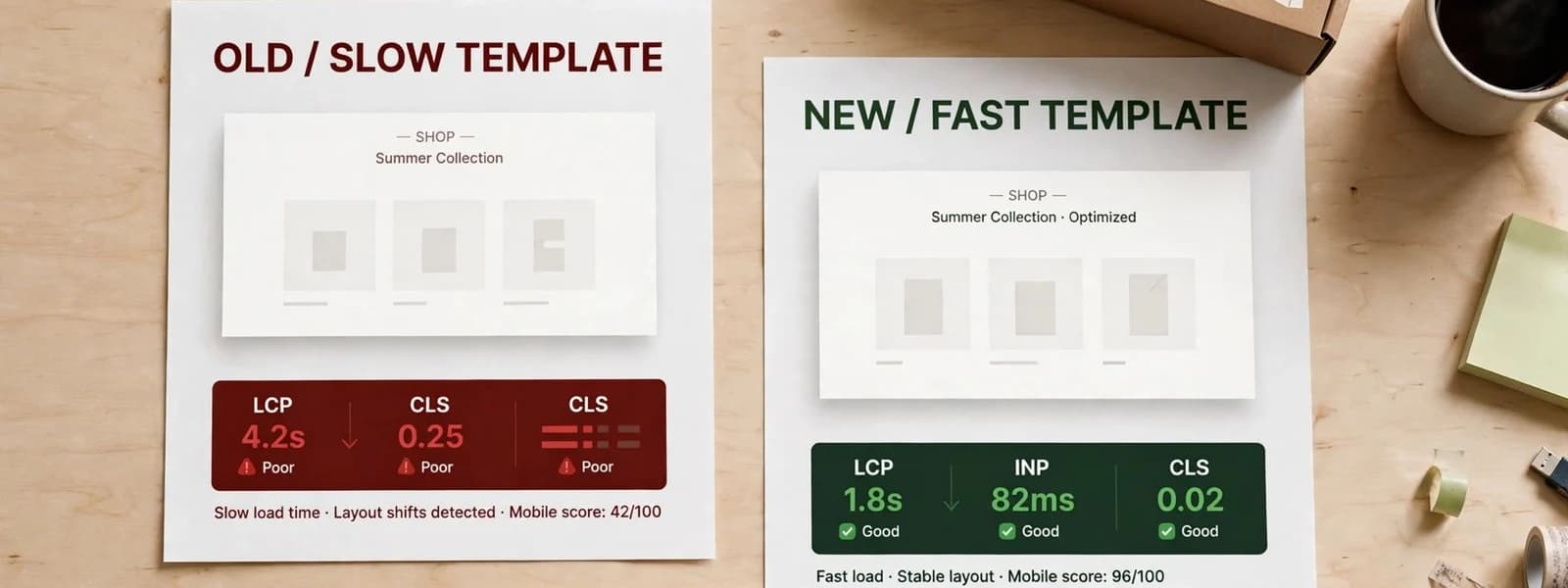
Shopify Core Web Vitals problems are almost always theme and app problems, not platform problems. Shopify runs the servers, the CDN, the image service and the checkout; your theme decides what each page loads, and your apps add scripts on top. That split means the fixes differ by template: product pages usually fail on the main image and app widgets, collection pages on image grids and filters, and the cart on scripts and interactivity. This list goes through each template and shows what you can change.
The three metrics, briefly
- Largest Contentful Paint (LCP): how quickly the main content appears. Good is 2.5 seconds or less.
- Interaction to Next Paint (INP): how quickly the page responds to taps and clicks. Good is 200 milliseconds or less.
- Cumulative Layout Shift (CLS): how much the page jumps while loading. Good is 0.1 or less.
All three are judged on real visits at the 75th percentile, which on most stores means mid-range phones on mobile networks.
What Shopify controls, and what you control
| Shopify controls | Your theme and apps control |
|---|---|
| Server response and hosting | Which sections, scripts and styles each template loads |
| Global CDN and image transformation | Whether images are requested at the right size and format |
| Checkout pages and their performance | Lazy-loading and priority of the main image |
| Platform scripts (analytics, checkout features) | App scripts, embeds and leftover app code |
| HTTP/2, compression, caching of assets | Fonts, sliders, animations and third-party widgets |
In other words: if a Shopify store has poor Core Web Vitals, the fix is nearly always in the right-hand column. Shopify’s own theme performance best practices say much the same.
Measure by template
Shopify’s admin includes a web performance report showing Core Web Vitals from real visitors. Use it for trends, and use Search Console’s Core Web Vitals report, which groups similar URLs, to see which templates fail. Then test one representative page per template in a lab tool to diagnose. Measuring only the homepage is the most common mistake we see: it is rarely where the revenue or the problems are.
Product pages
The template that earns the most, and usually the most affected by apps.
- Main product image (usually the LCP): render it eagerly, with
fetchpriority="high", never lazy-loaded. Use Shopify’simage_tagfilter with widths andsizesso phones get a phone-sized image. - Gallery: load only the first image eagerly; the rest lazily. Avoid gallery scripts that must run before anything shows.
- App widgets (reviews, upsells, bundles, size guides, wishlists): each adds JavaScript. Prefer app blocks placed below the main content, and remove apps you no longer use together with their leftover code.
- Variant selectors: a common INP problem. Changing a variant should update the price and image quickly; heavy scripts that re-render the whole page on every change make it feel sluggish.
- Layout shift: reserve space for reviews stars, badges and payment buttons that load late.
Collection pages
- First row of product images: load them eagerly with correct sizes; lazy-load the rest. The LCP here is often the first product image or the collection banner.
- Collection banners: an oversized banner image is a common LCP problem; size it for the layout it actually appears in.
- Filtering: filters that reload large chunks of the page with heavy scripts hurt INP. Shopify’s native filtering with a well-built theme is usually faster than a filter app that replaces it.
- Infinite scroll and quick view: both add JavaScript; make sure they do not run before the first view is ready.
- Product cards: fixed image aspect ratios prevent layout shift; swatch and badge scripts should not block rendering.
Cart (page and drawer)
- Cart drawers are INP-sensitive: opening the drawer and changing quantities should respond immediately. Heavy recommendation or upsell apps inside the drawer are the usual cause of lag.
- Free-shipping bars and upsells: useful, but each is a script; keep them light and loaded after the drawer opens.
- Layout shift from late-loading accelerated checkout buttons: reserve their space.
Checkout
Shopify hosts and optimises checkout, and with checkout extensibility, customisations run as checkout UI extensions in a controlled environment rather than as arbitrary scripts. That limits how much you can slow it down. What you still control: the number and weight of checkout extensions and pixels you add, and the speed of the pages that lead into checkout. Beyond that, your effort goes furthest on the product, collection and cart templates.
Site-wide fixes that help every template
- Audit apps and app embeds quarterly; remove unused apps and their leftover theme code. Our Shopify theme maintenance guide includes a routine for this.
- Fonts: use one or two families, a few weights,
font-display: swap, and preload the font used above the fold. - Tag managers and pixels: load marketing tags after consent and after the page is interactive where possible.
- Announcement bars and popups: avoid ones that push the page down after it loads.
- Theme choice: a well-built modern theme is a better starting point than a heavily customised older one.
An order of work that pays off quickly
When a store fails Core Web Vitals on several templates at once, we work in this order, because each step is cheap and often fixes more than one template:
- Remove unused apps and their leftover code. The quickest win on most stores we take over, and it helps every template.
- Fix the main image on product and collection templates: eager, prioritised, correctly sized.
- Defer third-party scripts that are not needed for the first view: chat, reviews, popups, marketing tags.
- Reserve space for everything that loads late, to bring CLS down.
- Work on INP last, starting with variant selectors, filters and the cart drawer, because it usually needs code changes in the theme.
Measure after each step. Field data takes weeks to reflect a change, so use lab tests to confirm each fix and field data to confirm the overall trend.
Keeping score after the fixes
Core Web Vitals field data is a rolling 28-day view of real visits, so improvements show up gradually and one bad week does not mean a fix failed. We keep a simple log per template: the date of each change, what changed, the lab result before and after, and the field values a month later. It makes regressions easy to trace, because when a template gets worse you can check which app, section or campaign went live that week. Add a performance check to the process for approving new apps as well; most regressions we see on Shopify arrive with a new app rather than with theme changes.
When a new theme is the better fix
Sometimes the theme is the problem: an older theme built before sections everywhere, heavily customised, with scripts that every page depends on. If most of the fixes above require rewriting core theme code, moving to a well-built modern theme can be cheaper than repairing the old one, and it usually improves editability too. Plan it like a redesign, with the URL and content checks that implies, even though your URLs will stay the same on Shopify.
The template-by-template fix list
| Template | Metric most at risk | First things to check |
|---|---|---|
| Product | LCP, INP | Main image eager and prioritised; app widgets; variant selector script |
| Collection | LCP, INP | Banner size; first-row images; filter and infinite-scroll scripts |
| Cart / drawer | INP, CLS | Upsell apps; quantity updates; reserved space for buttons |
| Home | LCP, CLS | Hero image or slider; announcement bars; popups |
| Blog / content | LCP | Fonts (text LCP); cover image sizing |
| Checkout | Handled by Shopify | Number of checkout extensions and pixels |
For the underlying LCP causes on any platform (late-discovered images, anti-flicker snippets, fonts, loading states), see where ecommerce LCP actually goes wrong.
Our speed optimization service works through this list template by template, with before-and-after field data. When the theme itself needs rework, our Shopify development team rebuilds the slow sections or moves you onto a faster base theme without losing your content.