
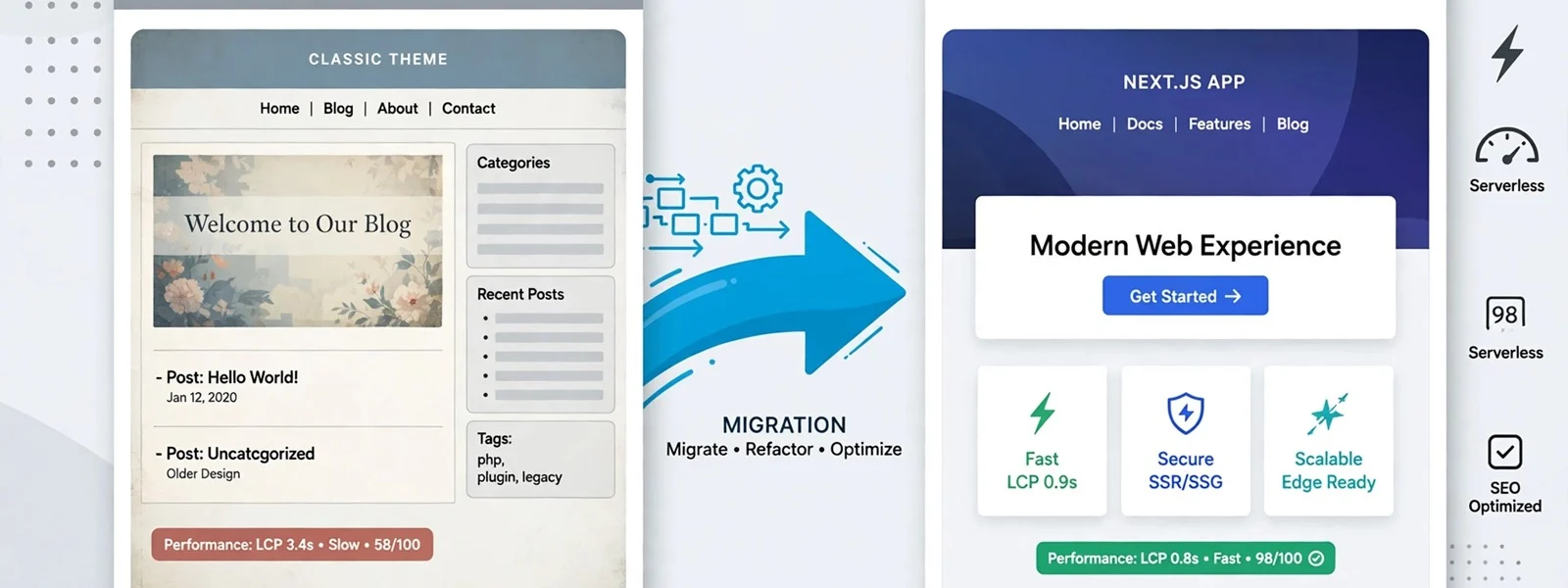
To migrate a WordPress theme site to Next.js without losing rankings, keep every URL you can, 301-redirect every URL you cannot, and carry over each page’s content, title, meta description, canonical, structured data and internal links like-for-like. Build a URL inventory before any code, test the redirect map and metadata parity on staging, launch everything at once with a fresh sitemap, and check crawl and Search Console data daily for the first weeks. Improve content and design after the move, not during it.
When teams migrate WordPress to Next.js, most of the ranking drops we are later asked to fix come from a short list of mistakes: pages that were never inventoried, redirects that point everything at the home page, titles rewritten during the build, and structured data that quietly disappeared. None of them are hard to avoid. They just need doing before launch day, in order. This is the process we follow on every WordPress-to-Next.js move.
Step 1: Build the URL inventory
You cannot redirect what you have not listed. Combine several sources, because each misses something:
-
A full crawl of the live site, following internal links.
-
WordPress itself: every published post, page, custom post type, category, tag, author and attachment URL, exported from the database.
-
The existing XML sitemaps from your SEO plugin.
-
Search Console: pages with impressions over the last 16 months.
-
Analytics: landing pages with organic traffic over the last year.
-
Backlink data: URLs other sites link to, including old ones that already redirect.
For each URL, record its organic traffic, the number of links pointing at it, and whether it will keep its URL, move, or be retired. Pages with traffic or links are the ones you protect hardest.
Step 2: Decide the URL structure (and keep it if you can)
The safest migration changes no URLs. Next.js can reproduce almost any WordPress pattern: /blog/post-name, /2024/05/post-name, /category/news, and trailing slashes through the trailingSlash option. If the domain and paths stay the same, Google treats the change as a site move without URL changes, which carries much less risk than one with URL changes.
Change URLs only where there is a clear gain: cleaning up date-based permalinks, merging thin category pages, or retiring attachment pages. Every changed URL goes in the redirect map.
Step 3: Write the redirect map
Map every old URL that changes to its closest new equivalent, one to one. Google’s redirect guidance recommends permanent server-side redirects for moved content, and its site-move guide says to keep them for as long as possible, generally at least a year.
-
Do not redirect everything to the home page. Unrelated redirects are treated much like missing pages.
-
Avoid chains: an old URL should go straight to its final destination, not through an older redirect first.
-
Retired pages with no equivalent can return 404 or 410; do not invent a match.
-
Implement the map in Next.js redirects for patterns and short lists, or in middleware reading from a data source for large maps.
Our article on a redirect map that survives replatforming goes deeper on building and testing the map.
Step 4: Reach metadata parity
For every URL, the new page should carry the same:
-
Title tag and meta description (from the SEO plugin’s fields, rendered with
generateMetadata). -
Canonical URL, pointing at the new public domain.
-
Robots directives: pages that were noindex stay noindex, and pages that were indexable stay indexable.
-
H1 and main content, including headings, images and their alt text.
-
Open Graph and social images.
-
hreflang, if the site has language or regional versions.
Export these fields from the old site and from staging, and compare them with a script. Differences are either intended (and listed) or bugs.
Step 5: Carry over structured data
SEO plugins add JSON-LD quietly, so it is easy to lose. Record which schema types each template outputs today (Article, BreadcrumbList, Organization, FAQPage, Product and so on) and rebuild them in Next.js (see the Next.js JSON-LD guide). Validate key templates with Google’s Rich Results Test on staging and again after launch. Google documents the requirements for each type, for example Article and breadcrumbs.
Step 6: Internal links and content details
Search engines read a site through its links. Small content details that a theme handled for you are easy to drop in a rebuild:
-
Links inside content. Post bodies contain hard-coded links to old URLs and sometimes to the WordPress domain itself. Rewrite them to the final URLs rather than relying on redirects, so crawlers and visitors skip the extra hop.
-
Navigation and footer links. Compare the old menus with the new ones. A category that disappears from the main navigation loses internal links from every page.
-
Breadcrumbs, related posts and pagination. These templates generate many internal links. Rebuild them, and keep paginated archive URLs working.
-
Images. Keep image file URLs stable if they rank in image search, or redirect them too. Carry over alt text.
-
Author and archive pages. Decide whether author, tag and date archives stay. If they had traffic, keep or redirect them; if they were thin, retire them deliberately.
Step 7: Sitemap and robots
-
Generate the XML sitemap in Next.js (
sitemap.ts) from the same data as the pages, so it never lists a URL that does not exist. -
Include only canonical, indexable URLs that return 200.
-
Keep robots.txt equivalent to the old one, minus any WordPress-only paths.
-
Make sure staging is blocked from indexing, and that the block is removed at launch. A staging
noindexleft on production is one of the most common launch-day mistakes.
Step 8: Staged launch
“Staged” here means staging first, then a single cutover, not moving the site section by section. Google’s site-move guide recommends moving all URLs at once for most sites, with progressive moves reserved for large ones.
[Inline image to add: brand-style horizontal timeline with three stages: before launch, launch day, after launch, each with three short task labels.]
Migration timeline in three stages: before launch (inventory, redirect map, parity checks on staging), launch day (cutover, redirects live, sitemap submitted) and after launch (crawl, Search Console, fixes)
-
Staging, complete. All content migrated, redirects active, metadata and schema compared, a full crawl of staging with no unexpected 404s or redirect chains.
-
Freeze. Pause content changes in WordPress for the cutover window, or plan to sync them.
-
Cutover. Point DNS or the routing layer at Next.js. Confirm the WordPress install is no longer publicly indexable on its own domain.
-
Same day. Crawl the old URL list against production and confirm every row returns 200 or a single 301 to the mapped target. Submit the new sitemap in Search Console.
Step 9: Post-launch checks
Google’s guide notes that a small or medium site can take a few weeks for most pages to move. Watch closely during that period:
-
Daily for the first two weeks: Search Console coverage and crawl errors, server 404 logs, and organic landing pages in analytics.
-
Weekly for the first two months: rankings and clicks for the top pages from your inventory, rich result reports, and Core Web Vitals field data.
-
Fix fast: a 404 on a page with links or traffic gets a redirect the same day.
The migration checklist
StageCheckDoneInventoryCrawl, database export, sitemaps, Search Console, analytics and backlinks merged into one URL list☐InventoryEach URL marked keep, move or retire, with traffic and links☐StructurePermalink pattern and trailing slashes reproduced in Next.js☐RedirectsOne-to-one 301 map for every moved URL; no chains; none to the home page by default☐MetadataTitles, descriptions, canonicals, robots and social images compared old vs staging☐ContentH1s, body content, images and alt text match; internal links point to new URLs☐LinksContent, menu, breadcrumb and pagination links rewritten to final URLs☐SchemaEvery JSON-LD type rebuilt and validated in the Rich Results Test☐SitemapGenerated from live data; only canonical 200 URLs☐RobotsStaging blocked; production open; WordPress origin not indexable☐LaunchOld URL list crawled against production; sitemap submitted☐After launchDaily Search Console and 404 checks for two weeks; weekly reviews for two months☐
What not to do at the same time
The urge to improve everything during a rebuild is strong. Resist it for launch. Rewriting titles, merging pages, changing the navigation and moving domains alongside the platform change makes any drop impossible to diagnose. Launch like-for-like, confirm rankings hold, then improve in measured steps. Our guide to an ecommerce redesign without losing rankings applies the same rule to stores.
For the build itself, see headless WordPress with Next.js; for speed after launch, why your Next.js app got slow. Our Next.js development team runs these moves end to end, and our store migration service applies the same process to commerce platforms.